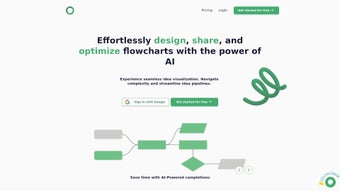

Download Flowsage – AI‑Powered Flowchart & Collaboration Tool
Overview
Flowsage is a modern, browser‑based diagramming platform that brings artificial intelligence to the world of flowcharts, mind maps, and network diagrams. Built for both individual creators and large teams, the service eliminates the traditional friction of installing heavy desktop software, managing license keys, or battling version incompatibilities. By simply opening a web browser, enabling JavaScript, and signing in, users gain instant access to a responsive canvas that scales from a single‑person brainstorming session to a multi‑department planning workshop.
The AI engine continuously watches every shape, connector, and label you add, then offers contextual suggestions that can auto‑complete a process step, recommend a more efficient layout, or even highlight potential logical gaps in a workflow. This real‑time guidance reduces the time spent on manual adjustments and helps even non‑technical users produce professional‑grade diagrams in minutes rather than hours. Flowsage also integrates core project‑management capabilities such as task assignment, due‑date tracking, and threaded comments, turning static visuals into living roadmaps that drive execution.
Because all data is stored securely in the cloud, teams can collaborate from any location, any device, and any operating system that supports a modern browser. In short, Flowsage blends AI‑enhanced creativity, seamless collaboration, and enterprise‑grade security into a single, download‑free SaaS solution that fits the fast‑paced demands of today’s workplaces.
Key Features That Distinguish Flowsage
- AI‑Driven Smart Suggestions: The platform predicts the next logical shape or connector as you work, automatically aligning elements and proposing optimal flow paths to keep diagrams clear and concise.
- Real‑Time Multi‑User Collaboration: Multiple participants can edit the same canvas simultaneously, with live cursor indicators, instant change history, and built‑in chat for quick discussions.
- Embedded Project Management Tools: Assign tasks, set deadlines, attach files, and track progress directly on diagram nodes, eliminating the need for separate task‑tracking software.
- Extensive Template Library: Over 150 pre‑designed templates cover common scenarios such as software architecture, marketing funnels, HR onboarding, and IT infrastructure.
- Cross‑Platform Browser Access: Works flawlessly on Windows, macOS, Linux, Android, and iOS devices, provided the browser supports modern JavaScript standards.
- Version Control & Export Options: Automatic snapshots preserve every edit, while export capabilities include PNG, SVG, PDF, and JSON for downstream integration.
- Secure Cloud Storage: All files are encrypted at rest (AES‑256) and in transit (TLS 1.3), with compliance certifications for GDPR and ISO‑27001.
- Custom Styling & Branding: Choose from a palette of colors, fonts, and line styles, or create brand‑specific themes that match corporate guidelines.
- Interactive Presentation Mode: Convert any diagram into a clickable slideshow, perfect for stakeholder meetings or remote demos.
- Developer‑Friendly API: REST endpoints allow programmatic diagram generation, embedding, and data retrieval for internal dashboards or third‑party tools.
Installation, Usage & Compatibility
Getting Started – No Download Required
Because Flowsage is a pure SaaS application, there is nothing to install on a local machine. To begin, navigate to https://flowsage.com using any up‑to‑date browser (Chrome, Edge, Firefox, or Safari). Click the “Sign Up” button, choose an email address or use single‑sign‑on via Google or Azure AD, and you’ll be inside the platform within 60 seconds. The onboarding wizard walks new users through creating their first workspace, selecting a template, and inviting collaborators.
Step‑by‑Step Usage Guide
- Create a New Project: After logging in, hit the “New Project” button, give the diagram a meaningful title, and optionally add a short description for future reference.
- Select a Template or Start from Scratch: Browse the template gallery, preview each layout, or choose a blank canvas to design from the ground up.
- Drag, Drop, and Label: Use the left‑hand toolbar to place shapes onto the canvas. Clicking a shape opens an inline editor; as you type, the AI proposes connectors and alignment suggestions.
- Invite Team Members: Enter email addresses or generate a shareable link. Assigned collaborators can comment, edit, or view‑only depending on the permission level you set.
- Leverage Built‑In Project Tools: Attach due dates, assign owners, and add checklists directly to nodes. The sidebar aggregates all tasks for quick status monitoring.
- Export or Publish: When the diagram is complete, click “Export” to download a high‑resolution PDF for presentations, or embed a live version into Confluence, SharePoint, or any website via an iFrame snippet.
System Requirements & Operating System Support
Flowsage runs entirely in the browser, so it supports any operating system that can run a modern JavaScript engine. Recommended specifications are:
- Desktop: Windows 10/11, macOS 12+, or popular Linux distributions with recent Chromium‑based browsers.
- Mobile: Android 9+ (Chrome) or iOS 13+ (Safari) – the responsive UI adapts to touch gestures while preserving full functionality.
- Network: Stable broadband with at least 5 Mbps upload/download for smooth real‑time collaboration and AI processing.
Ensure JavaScript is enabled (default in all major browsers) and that corporate firewalls allow outbound HTTPS traffic to flowsage.com. No additional plugins, runtime environments, or local storage requirements are needed, delivering a truly “download‑free” experience.
Pros, Cons & Detailed Evaluation
Pros
- AI suggestions dramatically cut diagram‑creation time and improve layout consistency.
- Real‑time collaboration mirrors the seamless experience of shared documents, fostering immediate feedback.
- Integrated task management removes the need for separate project‑tracking tools.
- Robust security with end‑to‑end encryption and compliance certifications safeguards sensitive data.
- Cross‑platform accessibility means users can work from any device without compatibility worries.
- Version history and automatic snapshots protect against accidental loss.
- Extensive template library accelerates onboarding for new users.
- API access enables custom integrations for developers and enterprises.
Cons
- Advanced capabilities such as API usage, premium templates, and larger team rooms require a paid subscription.
- Continuous internet connectivity is necessary for full AI functionality and real‑time editing.
- The AI occasionally proposes sub‑optimal connectors that need manual refinement.
- Touch‑screen precision on mobile devices is lower than mouse‑driven desktop interactions.
- Export formats are limited to static files; native Visio (.vsdx) export is not supported.
- Offline mode is still in beta and may not capture all changes reliably.
FAQ and Final Thoughts
Frequently Asked Questions
Is Flowsage free to use?
Flowsage offers a generous free tier that includes unlimited diagrams, AI suggestions, and real‑time collaboration for up to three collaborators per project. Paid plans unlock API access, larger team capacities, and expanded storage.
Can I import existing Visio or Lucidchart files?
Yes. Flowsage supports importing .vsdx (Visio) and .lucid files. The platform converts them into fully editable Flowsage diagrams while preserving most shapes and connectors.
How secure is my data on Flowsage?
All data is encrypted both in transit (TLS 1.3) and at rest (AES‑256). Flowsage complies with GDPR, ISO‑27001, and provides SSO with SAML for enterprise‑level security.
Does Flowsage work offline?
Core editing and AI features require an active internet connection. However, a beta “Offline Mode” caches the last opened diagram locally, allowing you to make changes that sync automatically once connectivity is restored.
What support options are available for paid users?
Premium subscribers receive 24/7 email support, priority live‑chat assistance, and a dedicated account manager for onboarding, training, and custom integration guidance.
Conclusion & Call to Action
Flowsage positions itself as a forward‑thinking alternative to legacy diagramming tools by marrying AI‑driven assistance with a fully collaborative, cloud‑native environment. Its free tier provides enough power for freelancers, students, and small teams, while the enterprise‑grade paid plans scale to meet the rigorous demands of large organizations. The seamless blend of visual thinking, task management, and secure storage makes it a compelling choice for anyone looking to turn abstract ideas into actionable, shareable roadmaps. If you’ve struggled with clunky desktop apps, disjointed brainstorming sessions, or endless export cycles, Flowsage delivers a streamlined, secure, and intuitive solution that works directly from your browser.
Ready to experience AI‑enhanced diagramming without the hassle of downloads or installations? Sign up for a free Flowsage account today and start creating professional flowcharts in minutes. For teams that need deeper integration, premium API access, and priority support, explore the Premium plans. Download Flowsage now, unleash your visual thinking, and let your concepts flow effortlessly across any device.
Pros: AI‑driven suggestions, real‑time collaboration, built‑in task management, strong security, cross‑platform access.
Cons: Premium features behind a paywall, reliance on internet connectivity, limited offline capabilities.



.png)



